How to Create a Custom REST API Endpoint in WordPress
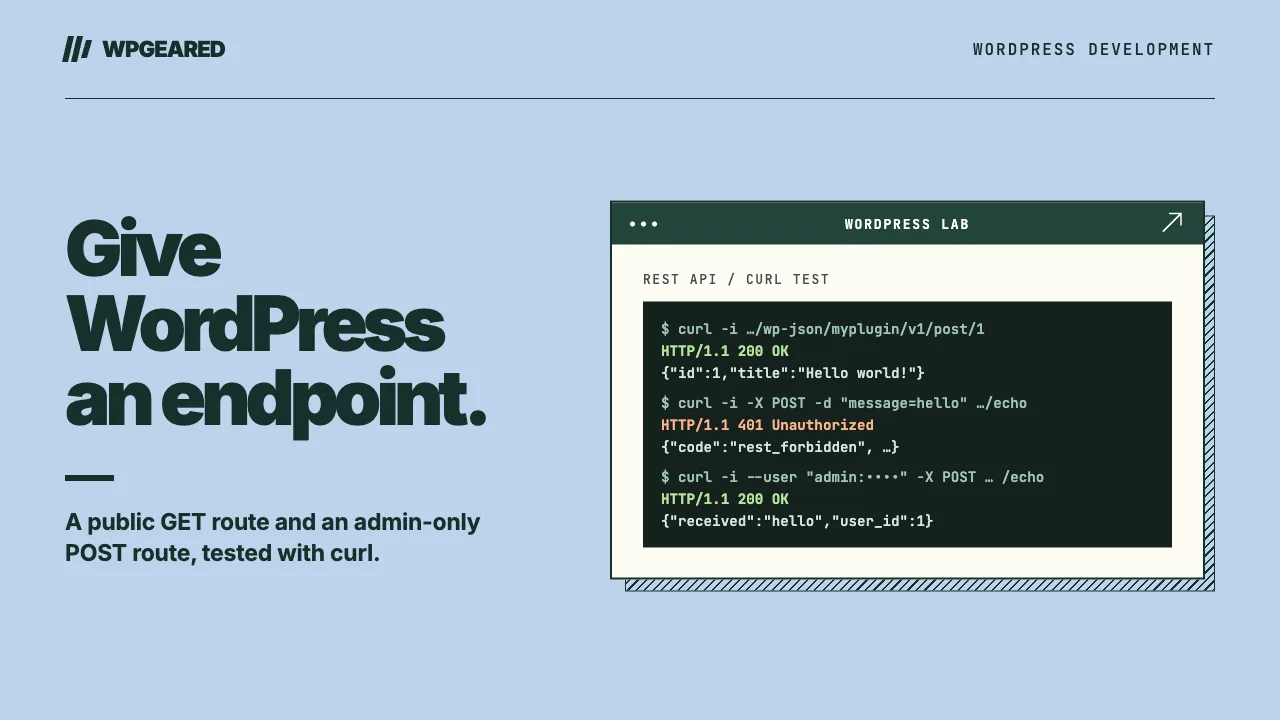
In this tutorial you'll create a custom REST API endpoint in WordPress and package it as a small plugin you can drop into any site. You'll end up with two routes: a public GET route that takes a post ID in the URL and returns that post's title, and a protected POST route that only administrators can call. Along the way you'll set permissions, validate input, return proper errors, and test everything from your browser and curl. All the code is checked against the current WordPress 7.1 developer docs.
Where to put the code
You could paste this into your theme's functions.php, but that code only works while the theme is active, so if you switch themes your endpoint disappears. The Theme Handbook says functionality that should survive a theme change belongs in a plugin.
A plugin needs only a Plugin Name: header. Create the folder wp-content/plugins/my-rest-endpoints/ and add a file called my-rest-endpoints.php:
<?php
/**
 * Plugin Name: My REST Endpoints
 */

if ( ! defined( 'ABSPATH' ) ) {
	exit; // Stop if someone loads this file directly.
}
The ABSPATH check is optional. It stops the file from running outside WordPress. Activate the plugin under Plugins in the admin. The snippets below all go in this file, under the guard.
Create a custom REST API route in WordPress
Everything starts with register_rest_route(), and it has to run inside a function hooked to rest_api_init. If you call it earlier, WordPress raises a _doing_it_wrong notice.
add_action( 'rest_api_init', 'myplugin_register_routes' );

function myplugin_register_routes() {
	register_rest_route( 'myplugin/v1', '/hello', array(
		'methods'             => WP_REST_Server::READABLE,
		'callback'            => 'myplugin_hello',
		'permission_callback' => '__return_true',
	) );
}

function myplugin_hello( WP_REST_Request $request ) {
	return array( 'message' => 'Hello from my first endpoint' );
}
Here's what each part does:
- Namespace (
myplugin/v1). This is the first segment after/wp-json/in the URL. The REST API Handbook recommends thevendor/v1pattern, wherevendoris usually your plugin or theme slug, so your routes don't clash with another plugin's. If you later make a breaking change, register it underv2. Don't start or end the namespace with a slash. - Route (
/hello). The path that comes after the namespace. - Methods. The HTTP method the endpoint answers. You can pass a string such as
'GET'or aWP_REST_Serverconstant:READABLEis GET,CREATABLEis POST,EDITABLEcovers POST, PUT and PATCH, andDELETABLEis DELETE. - Callback. The function that does the work. It receives a
WP_REST_Requestobject and returns the response data.
The route is the URL, and an endpoint is a method plus a callback on that route, so one route can have several endpoints, such as a GET that lists products and a POST that creates one.
With the plugin active, this route lives at https://example.com/wp-json/myplugin/v1/hello. Notice the permission_callback line: never leave it out.
permission_callback: who is allowed to call it
Leaving out permission_callback doesn't break the route. Since WordPress 5.5, a missing permission_callback triggers a _doing_it_wrong notice, but the route still registers and WordPress treats it as public. That's the real danger: an endpoint that deletes or reveals data works for everyone, and all you get is a developer notice.
So always set it explicitly. For public, read-only data, the 5.5 dev note recommends the built-in __return_true function, as in the /hello example. On a route that changes anything or exposes private data, __return_true is a security hole.
For protected routes, check a capability:
function myplugin_can_manage( WP_REST_Request $request ) {
	return current_user_can( 'manage_options' );
}
Then pass 'permission_callback' => 'myplugin_can_manage' in the route's options. manage_options is an administrator capability, so swap in whichever capability fits your action. The handbook recommends checking capabilities rather than whether someone is logged in.
A few details worth knowing:
- The permission callback runs after authentication, so
current_user_can()already knows who is calling. - Return
trueto allow the request,falseto block it with the default error, or aWP_Errorif you want a custom message. - When it returns
false, WordPress responds withrest_forbidden("Sorry, you are not allowed to do that."). The status is 401 if the caller isn't logged in and 403 if they're logged in but lack permission.
Route arguments: URL parameters, validation and sanitisation
To take an ID from the URL, put a named regex group in the route. /post/(?P<id>\d+) matches /post/42 and makes 42 available in your callback as $request['id'] or $request->get_param( 'id' ).
Then describe each argument in an args array, so WordPress checks it before your callback runs:
add_action( 'rest_api_init', function () {
	register_rest_route( 'myplugin/v1', '/post/(?P<id>\d+)', array(
		'methods'             => WP_REST_Server::READABLE,
		'callback'            => 'myplugin_get_post',
		'permission_callback' => '__return_true',
		'args'                => array(
			'id' => array(
				'validate_callback' => function ( $value, $request, $key ) {
					return is_numeric( $value );
				},
				'sanitize_callback' => 'absint',
			),
		),
	) );
} );
Each argument accepts these options:
required: iftrueand the argument is missing, WordPress returns a 400rest_missing_callback_paramerror.default: the value used when the argument isn't sent.validate_callback: receives$value,$requestand$key, and returnstrueif the value is acceptable. If it returnsfalse, WordPress sends a 400rest_invalid_paramerror and your callback never runs.sanitize_callback: cleans the value before your callback sees it. Hereabsintturns it into a non-negative integer.
One gotcha: don't write 'validate_callback' => 'is_numeric'. WordPress passes three arguments to the validate callback, and the handbook warns that passing is_numeric directly throws a warning and returns NULL. Wrap it in a closure, as shown above.
Instead of writing callbacks, you can describe an argument with JSON Schema keywords such as 'type' => 'integer', and with no sanitize_callback WordPress validates and sanitises it for you. The trap: as soon as you add your own sanitize_callback, that built-in validation switches off, unless you set validate_callback to rest_validate_request_arg.
Returning data and errors
Your callback should return its result, never print it. Don't echo output, don't call wp_send_json() (since 5.5 that triggers a _doing_it_wrong notice during REST requests), and don't die().
You have three ways to return data:
- Return a plain array, and WordPress turns it into JSON.
- Pass raw data through
rest_ensure_response(), which wraps it in a response object. According to the handbook, it leaves aWP_Erroras it is. - Build a
WP_REST_Responseyourself when you need to set the status code (201 after creating something, for example) or add headers.
For errors, return a WP_Error with a 'status' in its data array:
function myplugin_get_post( WP_REST_Request $request ) {
	$post = get_post( $request['id'] );

	if ( ! $post || 'publish' !== $post->post_status ) {
		return new WP_Error(
			'myplugin_post_not_found',
			'No published post found with that ID.',
			array( 'status' => 404 )
		);
	}

	$response = new WP_REST_Response( array(
		'id'    => $post->ID,
		'title' => get_the_title( $post ),
	) );
	$response->set_status( 200 );

	return $response;
}
If you leave out 'status', WordPress sends the error as a 500, which tells the client your server broke when the real problem is that the post doesn't exist. The post_status check matters too: this route is public, so it should only ever reveal published posts, never drafts or private ones.
The complete copy-paste plugin
Here's everything in one file. Replace the whole contents of my-rest-endpoints.php with it rather than adding it below the earlier snippets, because the function names would clash. It contains:
- the plugin header and the
ABSPATHguard; - one
rest_api_inithook that registers both routes; - a public GET route,
/post/<id>, with a validated and sanitisedidand a 404WP_Errorfor missing or unpublished posts; - a protected POST route,
/echo, that only users withmanage_optionscan call. It requires amessageparameter and sends it back with your user ID. It doesn't change anything on the site, so it's safe to experiment with.
<?php
/**
 * Plugin Name: My REST Endpoints
 * Description: Example custom REST API endpoints.
 * Version:     1.0.0
 */

if ( ! defined( 'ABSPATH' ) ) {
	exit;
}

add_action( 'rest_api_init', 'myplugin_register_routes' );

function myplugin_register_routes() {
	// Public: GET /wp-json/myplugin/v1/post/<id>
	register_rest_route( 'myplugin/v1', '/post/(?P<id>\d+)', array(
		'methods'             => WP_REST_Server::READABLE,
		'callback'            => 'myplugin_get_post',
		'permission_callback' => '__return_true',
		'args'                => array(
			'id' => array(
				'validate_callback' => function ( $value, $request, $key ) {
					return is_numeric( $value );
				},
				'sanitize_callback' => 'absint',
			),
		),
	) );

	// Protected: POST /wp-json/myplugin/v1/echo
	register_rest_route( 'myplugin/v1', '/echo', array(
		'methods'             => WP_REST_Server::CREATABLE,
		'callback'            => 'myplugin_echo',
		'permission_callback' => 'myplugin_can_manage',
		'args'                => array(
			'message' => array(
				'required'          => true,
				'validate_callback' => function ( $value, $request, $key ) {
					return is_string( $value ) && '' !== trim( $value );
				},
				'sanitize_callback' => 'sanitize_text_field',
			),
		),
	) );
}

function myplugin_can_manage( WP_REST_Request $request ) {
	return current_user_can( 'manage_options' );
}

function myplugin_get_post( WP_REST_Request $request ) {
	$post = get_post( $request['id'] );

	if ( ! $post || 'publish' !== $post->post_status ) {
		return new WP_Error(
			'myplugin_post_not_found',
			'No published post found with that ID.',
			array( 'status' => 404 )
		);
	}

	$response = new WP_REST_Response( array(
		'id'    => $post->ID,
		'title' => get_the_title( $post ),
	) );
	$response->set_status( 200 );

	return $response;
}

function myplugin_echo( WP_REST_Request $request ) {
	$response = new WP_REST_Response( array(
		'received' => $request['message'],
		'user_id'  => get_current_user_id(),
	) );
	$response->set_status( 200 );

	return $response;
}
Once it's active, you have two URLs:
https://example.com/wp-json/myplugin/v1/post/1(GET, public)https://example.com/wp-json/myplugin/v1/echo(POST, administrators only)
Test your endpoint: browser, curl and authentication
In the browser
GET routes can be tested by visiting the URL. Open https://example.com/wp-json/myplugin/v1/post/1, using a real post ID from your site, and you should see a small JSON object with the ID and title. If your site uses plain permalinks, WordPress doesn't handle /wp-json/. Put the route in the rest_route query parameter instead: https://example.com/?rest_route=/myplugin/v1/post/1.
With curl
# Public route: expect {"id":1,"title":"..."}
curl https://example.com/wp-json/myplugin/v1/post/1

# Protected route, no credentials: expect a 401 rest_forbidden error
curl -X POST -d "message=hello" https://example.com/wp-json/myplugin/v1/echo
The 401 on the second call means the permission check is doing its job: an anonymous caller is treated as logged out.
Authenticating with an Application Password
For protected routes, the simplest option for scripts and curl is an Application Password, which has been built into WordPress since 5.6. Open your user's Edit User screen in the admin, find the Application Passwords section, give the new password a name such as "curl testing", and create it. Then send it with curl's --user option:
# Protected route with an Application Password: expect {"received":"hello","user_id":1}
curl --user "USERNAME:abcd efgh ijkl mnop qrst uvwx" \
  -X POST -d "message=hello" \
  https://example.com/wp-json/myplugin/v1/echo
Replace USERNAME and the example password with your own. The password works with or without the spaces. It's sent with HTTP Basic Auth, so the handbook says to only use it over HTTPS. If you can't find the Application Passwords section, that's expected on some test sites: by default it's only available on HTTPS sites or sites whose environment type is local.
If you're calling the endpoint from JavaScript on the same site, you'll use cookie authentication instead, which needs a wp_rest nonce sent in the X-WP-Nonce header. Without it, WordPress sets the current user to 0, even if you're logged in.
Troubleshooting common errors
| Symptom | Likely cause | Fix |
|---|---|---|
404 rest_no_route: "No route was found matching the URL and request method." |
A typo in the namespace or route, the plugin isn't active, the URL doesn't match your regex (e.g. /post/abc), or you used the wrong HTTP method. A GET request to the POST-only /echo route returns this same error. |
Compare the URL with your register_rest_route() call, check the plugin is active, and check the method. |
/wp-json/ URLs don't reach the API at all |
The site uses plain permalinks. | Use ?rest_route=/myplugin/v1/... or switch to pretty permalinks. |
401 rest_forbidden |
The request isn't authenticated, so the permission check fails. | Send credentials. From JavaScript on the same site, a logged-in user without a wp_rest nonce counts as logged out, so add the X-WP-Nonce header. |
| 401 even with the correct Application Password | Your server may be stripping the Authorization header, which happens on some CGI/FastCGI setups. |
Per the REST API FAQ, add a mod_setenvif rule on Apache or fastcgi_pass_header Authorization; on Nginx. |
403 rest_forbidden |
You're authenticated, but your user lacks the capability your permission_callback checks. |
Use an account with that capability, or check you're testing the capability you meant to. |
| No Application Passwords section | The site isn't on HTTPS and its environment type isn't local. |
Test on an HTTPS site or a local environment. |
400 rest_invalid_param or rest_missing_callback_param |
A validate_callback returned false, or a required argument wasn't sent. |
Check the parameter's name and value against your args. |
Where to go next
Once your API grows beyond a few routes, read the REST API Handbook's section on controller classes built on WP_REST_Controller. WordPress 6.9 also added the Abilities API, a separate way to register site functionality with defined inputs, outputs and permissions. It doesn't replace register_rest_route(), which is still the documented way to add custom endpoints.