Advanced Custom Fields Table Field: setup and safe template output
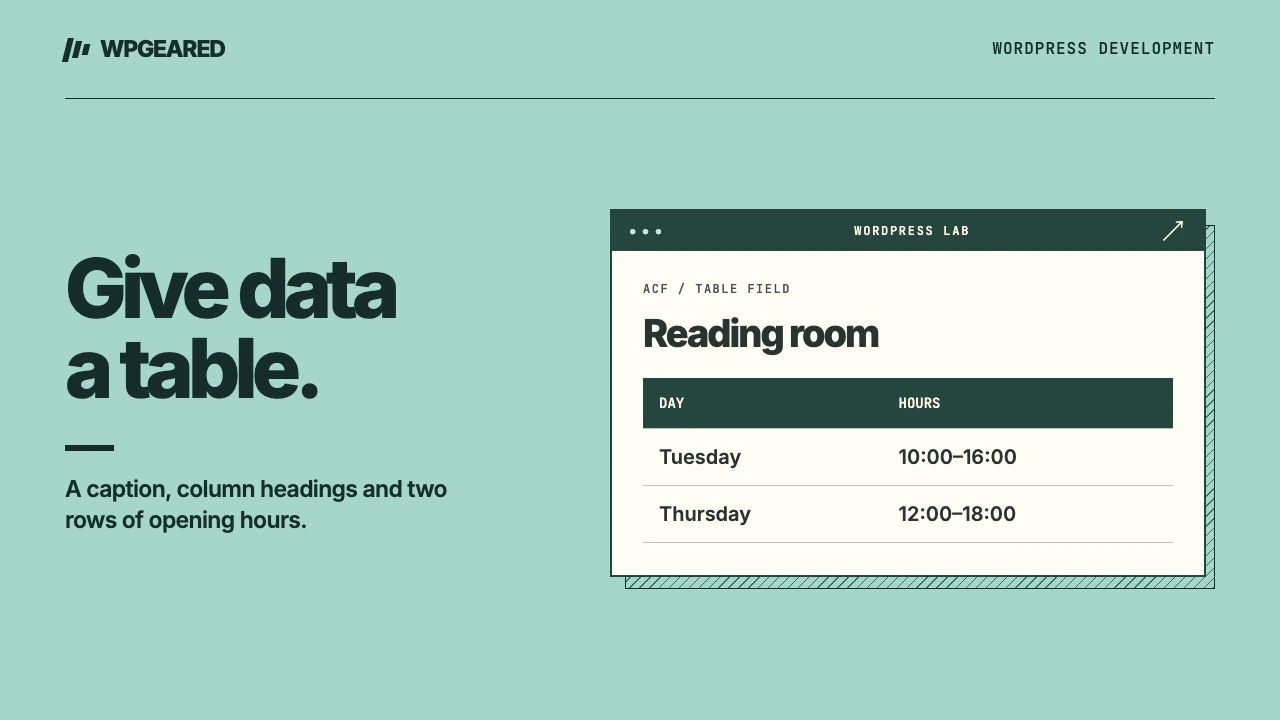
Advanced Custom Fields Table Field is an independent add-on for editing a grid of rows and columns in an ACF field group. Use it when editors need spreadsheet-like entry and a theme owns the public markup. For a table that exists only inside one article, try WordPress's core Table block first.
What does the Advanced Custom Fields Table Field return?
The WordPress.org listing offered version 1.5.1 on November 10, 2026. The directory listed WordPress 5.3 or newer, PHP 7.4 or newer and compatibility tested by the publisher through WordPress 7.1.4. The add-on lets editors insert and reorder rows and columns and optionally enter a header and caption. Those structured values still need a template to become an accessible HTML table.
Consider a business that publishes opening hours on several location pages. A caption might be “Reception opening hours,” with columns headed “Day” and “Hours.” The public page should keep those relationships even when a theme changes. A visual grid of unrelated paragraphs won't convey the same meaning to a screen reader.
Set up one representative table
- On a disposable copy, activate Advanced Custom Fields and the add-on named Advanced Custom Fields: Table Field. Check the plugin author and directory URL before choosing a similarly named extension.
- Add a field group with a location rule that matches the post type used for locations. Add a field of type Table, label it “Opening hours” and set its name to
opening_hours. - Enable or allow a header and caption according to the field settings. Save the group. Open a matching post, enter the caption, both column headings and two rows of hours.
- Save and reload the post. Confirm that the headings are stored separately from the first data row. Try moving one row up. Look at the published result after saving again.
- Open a post that has no table data. It should have no empty table or stray heading. If the field is missing from the editor entirely, inspect the group location before changing the PHP.
Read the formatted table in the template
The field's formatted array contains a body of rows. Each row contains cells, and a cell stores its value under c. An optional header holds column cells and the caption is a separate value. The following template treats cell contents as plain text. Paste it at the desired position in a template for the current post. A page editor typing HTML into a cell will not be able to inject that HTML into the public page.
<?php
$table = get_field( 'opening_hours' );
if ( is_array( $table ) && ! empty( $table['body'] ) ) : ?>
    <table>
        <?php if ( ! empty( $table['caption'] ) ) : ?>
            <caption><?php echo esc_html( $table['caption'] ); ?></caption>
        <?php endif; ?>
        <?php if ( ! empty( $table['header'] ) ) : ?>
            <thead><tr>
                <?php foreach ( $table['header'] as $cell ) : ?>
                    <th scope="col"><?php echo esc_html( $cell['c'] ?? '' ); ?></th>
                <?php endforeach; ?>
            </tr></thead>
        <?php endif; ?>
        <tbody>
            <?php foreach ( $table['body'] as $row ) : ?>
                <tr>
                    <?php foreach ( $row as $cell ) : ?>
                        <td><?php echo esc_html( $cell['c'] ?? '' ); ?></td>
                    <?php endforeach; ?>
                </tr>
            <?php endforeach; ?>
        </tbody>
    </table>
<?php endif; ?>
When captions or cells have different wording in each language, check how WPML translates ACF field values on a sample record. A caption identifies the whole table. Column headings with scope="col" tell assistive technology which heading applies as someone moves down a column. The example has one header row. For financial or scientific data with grouped headings, subtotals and row headings, design the header relationships explicitly before choosing this field.
What if the table is blank or shows “Array”?
First establish where get_field() is running. Inside the post loop it can read the current post. A callback that runs before the main query or a secondary loop may read a different record. Pass the intended post ID when the context is ambiguous. Check the field name, publish status of the record and whether you saved at least one body row. Previewing a field group is different from rendering a post with values.
Printing the entire value as a string gives you “Array” instead of a table. Iterate through rows, then cells. If the header is optional, a record with no headings should still render the body without PHP notices. If text such as “Repair & replace” looks wrong, check the source data and escape only when outputting it. Do not globally decode or print raw stored HTML to repair one malformed cell.
Table Field, repeater or native Table block?
A directory of staff members with photographs, biographies and links needs fields with different types and validation. An arbitrary table cell cannot tell whether an editor entered a valid URL. Read the repeater alternatives guide for those records. A one-off comparison in the middle of a blog article is often easier to edit with a core Table block. That lets the author decide where the table belongs in the text.
For location hours, include an exception such as a holiday closure and a long translated day name in the trial. Preview at phone width and high zoom. If a wide table genuinely needs horizontal scrolling, confine it to an accessible table region. The entire page should still fit the viewport. Test adding a new column last: check existing rows and make sure headings continue to describe the data underneath them.
Keep a database backup before changing the field type. Exporting ACF configuration preserves the definition while the actual values live with the records. For repeated tables that feed integrations or exports, document the expected column names and how empty cells should be represented. A custom WordPress integration can then read the same structured data the editor sees.