Run code when a WordPress post is published (and send a webhook)
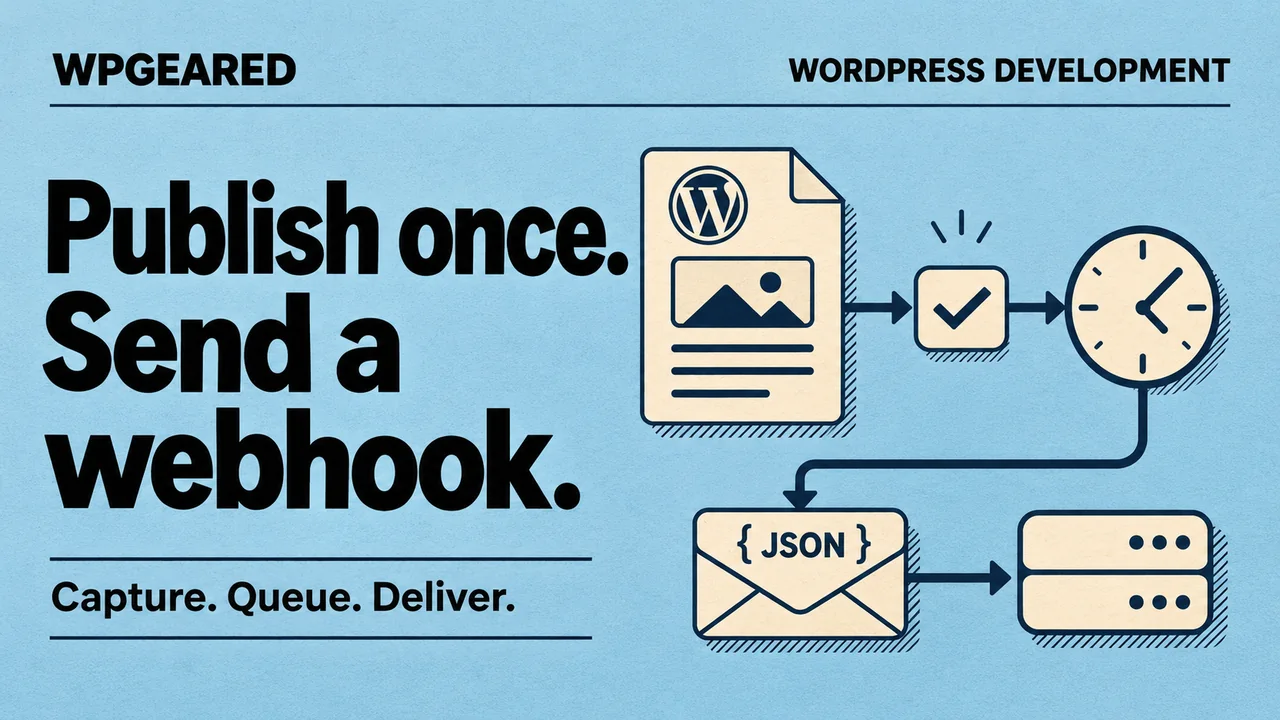
If you need a WordPress new post hook, start with transition_post_status. Run your callback only when $new_status === 'publish' and $old_status !== 'publish'. That detects a draft becoming public without treating an ordinary edit to an already published post as another publication.
<?php
add_action( 'transition_post_status', function ( $new_status, $old_status, $post ) {
    if ( 'post' === $post->post_type
        && 'publish' === $new_status && 'publish' !== $old_status ) {
        error_log( 'Published post: ' . $post->ID );
    }
}, 10, 3 );
This is a transition detector, not a delivery system. Unpublishing and republishing can pass the gate again, and concurrent requests can race. For a webhook, use a small plugin with a stored payload, a sent marker, and a receiver that deduplicates an event ID.
Choose the right WordPress new post hook
Several WordPress actions look like a publish trigger, but most fire again when a published post is updated. The publish_post hook in WordPress is a dynamic status/type action, not a once-only event. The behavior below follows the Developer Reference and WordPress core source (checked November 2026): transition_post_status, the dynamic status/type action, save_post, the post-specific save action, and wp_after_insert_post.
| Hook | When it fires | Does it repeat on a published update? |
|---|---|---|
transition_post_status |
During status processing, including a save where the status is unchanged | Yes. Compare old and new status. |
publish_post / {$new_status}_{$post_type} |
After the post reaches the dynamic status/type action | Yes. publish_post is not once-only. |
save_post / save_post_{$post_type} |
After a post is saved or created; revisions and autosaves can also be involved | Yes. Add the appropriate guards. |
wp_after_insert_post |
After the post, its terms, and its meta have been saved | Yes. Introduced in WordPress 5.6.0 (checked November 2026). |
Use transition_post_status when the post object is all the payload needs. A callback on save_post is useful for general save handling, but it needs revision and autosave guards. Use wp_after_insert_post when the payload depends on taxonomy terms or registered custom fields saved by the block editor’s REST request. Neither hook provides global exactly-once delivery. The WordPress hooks guide covers the general action/filter model.
Why the block editor changes the hook choice
The block editor saves through the REST API. In that request, WordPress can save the post, then handle terms and registered meta, before it calls wp_after_insert_post. That makes the later action a useful boundary for a payload that includes those values. WordPress added this action in 5.6.0 (checked November 2026) specifically because earlier save actions can run before terms and meta are updated outside the classic editor; see the WordPress 5.6 developer note. Core’s insertion path and REST posts controller show this order (checked November 2026): post insertion source and the REST posts controller.
This does not make every later write part of one transaction. A plugin that updates meta in another request can still run after your snapshot. The example captures the event payload after the REST save rather than re-reading a changing post in a delayed worker. If you include a custom field, register it for REST and set it in the same save. The sample expects a string meta key named wpgph_note; it does not create a custom-field UI.
Build a small publish webhook plugin
Put this in a standalone plugin rather than functions.php. It can be deactivated cleanly, keeps its callback names isolated, and removes its scheduled events. The example handles regular blog posts; change the explicit post-type check if your application publishes a custom type. See how to register a custom post type for that separate decision.
Configure the endpoint and secret
Add these placeholders to wp-config.php, before the “That’s all, stop editing” line and before WordPress loads wp-settings.php. Replace them with your receiver URL and a long random secret; do not commit either value to a public repository. Activate the plugin before the publications you want to observe; it does not backfill posts that were already published.
define( 'WPGPH_WEBHOOK_URL', 'https://example.com/webhook' );
define( 'WPGPH_WEBHOOK_SECRET', 'replace-with-a-long-random-secret' );
When WPGPH_WEBHOOK_SECRET is defined with a non-empty value, the receiver should calculate sha256= plus an HMAC-SHA-256 over the exact raw request body, then compare it with hash_equals(). If the constant is absent or empty, the plugin omits the signature header; a receiver that requires signatures should reject unsigned requests. It should durably deduplicate event_id. A sent post-meta flag prevents normal repeats on the WordPress side, but a process can crash after the receiver accepts a request and before WordPress writes that flag.
Copy the plugin
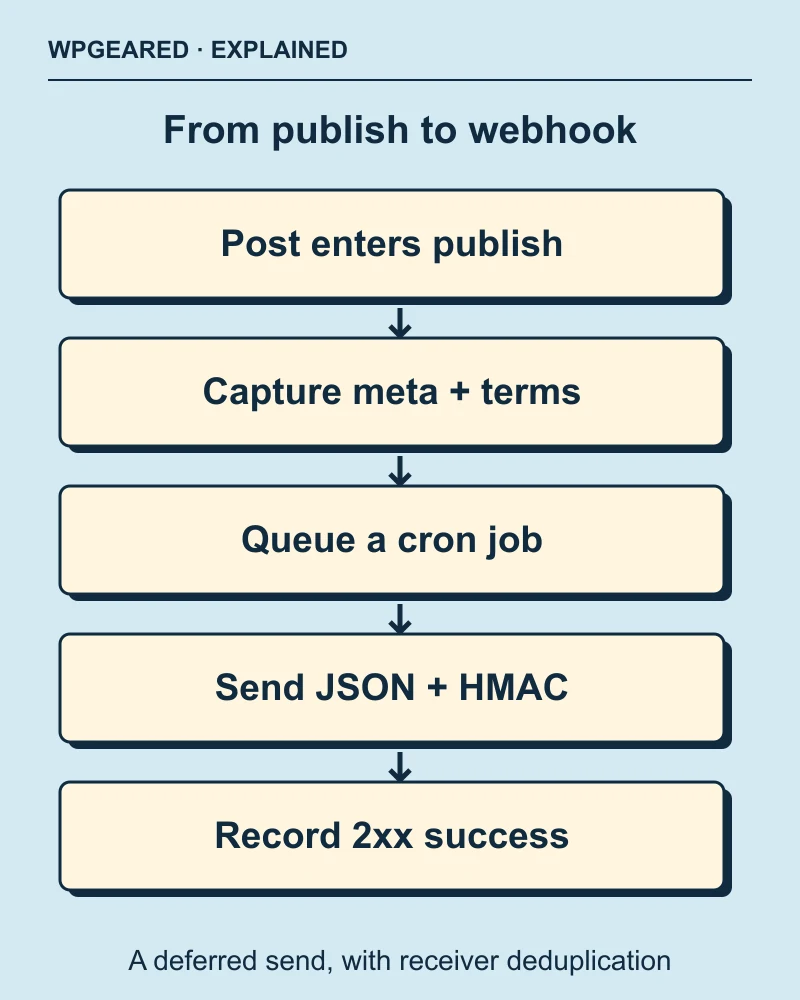
Save the following as wpgeared-publish-webhook.php in a directory under wp-content/plugins/, then activate it. It stores a JSON snapshot and schedules a send eligible five seconds later; actual execution depends on WP-Cron. It marks the post sent only after a 2xx response.
<?php
/**
 * Plugin Name: WPGeared Publish Webhook
 */
if ( ! defined( 'ABSPATH' ) ) {
    exit;
}

add_action( 'wp_after_insert_post', 'wpgph_queue', 10, 4 );
add_action( 'wpgph_send', 'wpgph_send', 10, 1 );
register_deactivation_hook( __FILE__, 'wpgph_deactivate' );

function wpgph_queue( $post_id, $post, $update, $post_before ) {
    if ( ( defined( 'DOING_AUTOSAVE' ) && DOING_AUTOSAVE )
        || wp_is_post_revision( $post_id ) || wp_is_post_autosave( $post_id )
        || 'post' !== $post->post_type || 'publish' !== $post->post_status
        || ( $post_before && 'publish' === $post_before->post_status ) ) {
        return;
    }
    $args = array( $post_id );
    if ( get_post_meta( $post_id, '_wpgph_sent', true )
        || wp_next_scheduled( 'wpgph_send', $args ) ) {
        return;
    }
    $categories = wp_get_post_terms( $post_id, 'category', array( 'fields' => 'names' ) );
    if ( is_wp_error( $categories ) ) {
        error_log( 'Publish webhook: category lookup failed for post ' . $post_id );
        return;
    }
    $body = wp_json_encode( array(
        'event'         => 'post.published',
        'event_id'      => hash( 'sha256', home_url( '/' ) . ':' . $post_id ),
        'post_id'       => $post_id,
        'title'         => get_the_title( $post ),
        'url'           => get_permalink( $post ),
        'published_gmt' => $post->post_date_gmt,
        'categories'    => $categories,
        'note'          => get_post_meta( $post_id, 'wpgph_note', true ),
    ) );
    if ( false === $body ) {
        error_log( 'Publish webhook: JSON encoding failed for post ' . $post_id );
        return;
    }
    update_post_meta( $post_id, '_wpgph_payload', wp_slash( $body ) );
    if ( $body !== get_post_meta( $post_id, '_wpgph_payload', true ) ) {
        error_log( 'Publish webhook: snapshot write failed for post ' . $post_id );
        return;
    }
    $result = wp_schedule_single_event( time() + 5, 'wpgph_send', $args, true );
    if ( is_wp_error( $result ) || ! $result ) {
        error_log( 'Publish webhook: scheduling failed for post ' . $post_id );
    }
}

function wpgph_send( $post_id ) {
    $post_id = absint( $post_id );
    if ( 'post' !== get_post_type( $post_id ) || 'publish' !== get_post_status( $post_id )
        || get_post_meta( $post_id, '_wpgph_sent', true ) ) {
        return;
    }
    $body = get_post_meta( $post_id, '_wpgph_payload', true );
    if ( ! defined( 'WPGPH_WEBHOOK_URL' ) || ! is_string( WPGPH_WEBHOOK_URL )
        || '' === WPGPH_WEBHOOK_URL || ! is_string( $body ) || '' === $body ) {
        error_log( 'Publish webhook: missing configuration or snapshot for post ' . $post_id );
        return;
    }
    $headers = array( 'Content-Type' => 'application/json' );
    if ( defined( 'WPGPH_WEBHOOK_SECRET' ) && is_string( WPGPH_WEBHOOK_SECRET )
        && '' !== WPGPH_WEBHOOK_SECRET ) {
        $headers['X-WPGeared-Signature'] = 'sha256=' . hash_hmac( 'sha256', $body, WPGPH_WEBHOOK_SECRET );
    }
    $response = wp_remote_post( WPGPH_WEBHOOK_URL, array(
        'headers'     => $headers,
        'body'        => $body,
        'timeout'     => 5,
        'blocking'    => true,
        'redirection' => 0,
    ) );
    if ( is_wp_error( $response ) ) {
        error_log( 'Publish webhook: ' . $response->get_error_code() . ' for post ' . $post_id );
        return;
    }
    $code = wp_remote_retrieve_response_code( $response );
    if ( $code < 200 || $code >= 300 ) {
        error_log( 'Publish webhook: HTTP ' . (int) $code . ' for post ' . $post_id );
        return;
    }
    update_post_meta( $post_id, '_wpgph_sent', time() );
}

function wpgph_deactivate() {
    wp_unschedule_hook( 'wpgph_send' );
}
The plugin sends generic JSON, not a native Slack or CRM payload. Adapt the receiver or body for that platform. The worker also checks that the post is still public; if it was unpublished before the job ran, it skips the send. The allowlisted field is wpgph_note; replace it deliberately rather than dumping all post meta, which may contain private data.
Scheduled versus non-blocking delivery
The example uses wp_schedule_single_event() and a blocking wp_remote_post() with a five-second timeout. Publishing queues the job; the later cron request classifies a WP_Error or non-2xx response. WP-Cron is traffic-triggered unless a real system cron runs it, so five seconds is an eligibility time, not a timer guarantee or durable queue.
A non-blocking request can reduce the publishing request’s wait, but it cannot reliably tell you whether the receiver accepted the body. Use it only for best-effort dispatch. Neither mode supplies global exactly-once delivery: concurrency or a crash after receiver acceptance and before the marker can duplicate a request. Keep receiver-side idempotency keyed by event_id. No automatic retry is included; failures leave no sent marker, so you can fix the receiver and manually reschedule the stored snapshot.
Check that it worked
Use a local REST route on the disposable site or a local listener that records requests. Do not send test payloads to a public request bin. Compare the local log with these expected results:
- Publish a draft: one request with
event: post.published. - Update that published post: no second request.
- Schedule a future post, then run due cron: one request when cron changes it to
publish. - Quick Edit a draft into publish: one request. Quick Edit an already published post: none.
- Save a draft, autosave, or revision: no request.
- Through the block editor/REST path, set registered
wpgph_noteand a category in the same save: the snapshot should contain both.
These checks passed on November 24, 2026, in a disposable WordPress 7.1.5 installation with PHP 8.5.12 and SQLite Database Integration 3.1.3 (all versions checked November 2026). The run used a loopback receiver and actual core cron; the block-editor and Quick Edit cases were performed through the dashboard UI. This is functional evidence for that environment, not a MySQL, concurrency, production-load, vendor-specific Slack/CRM, or crash-recovery certification. For a custom receiver, build a WordPress REST API custom endpoint and verify the raw-body HMAC before parsing JSON.
Undo the webhook
Deactivate the plugin. Its deactivation callback calls wp_unschedule_hook() to remove all scheduled events for wpgph_send, regardless of arguments. It retains snapshots and sent markers for inspection. Do not clear a successful marker as a general retry strategy. For a controlled retry of a failed post while the plugin is active, fix the receiver and schedule its existing ID deliberately, for example:
wp eval 'wp_schedule_single_event( time() + 5, "wpgph_send", array( 123 ) );'
Replace 123 with the intended local post ID. Because the worker skips unpublished posts and successful events remain marked, ordinary edits stay quiet.
Troubleshooting
It fires twice
wp_after_insert_post and the other save/status actions can run more than once. Check for duplicate queue events, concurrent workers, and the sent marker. Keep the stable event_id and make the receiver deduplicate it. A marker written after a successful response cannot close the crash window before that write.
Scheduled posts never trigger
Future posts publish through the publish_future_post cron path. Confirm the post reached publish, WP-Cron is running, and a real system cron is configured on a low-traffic site. The five-second job waits until WordPress processes cron.
The meta field is empty
Register wpgph_note with show_in_rest, single, and the correct type, and set it in the same REST/block-editor save. wp_after_insert_post is later than earlier save hooks, but it cannot see a value that another request has not written yet. Check that the field is allowed for the current user.
Publishing feels slow
The editor queues the send, so inspect other inline callbacks or old snippets if the editor request itself is slow. The blocking HTTP call runs in the cron worker and is bounded by five seconds. Non-blocking dispatch changes delivery feedback; it is not a fix for an unavailable receiver.
No-code option: watch an RSS feed
If you need to trigger when a site publishes a new post and do not control that site, an RSS automation may be enough. Zapier’s official RSS trigger watches a feed for new items (documentation checked November 2026): Trigger Zap workflows from new RSS feed items. It polls and applies its own timing and deduplication, so it is not equivalent to a WordPress hook and may omit custom fields. For a site you control and a first-public event, use the hook and receiver pattern above.
For help connecting this to a CRM, newsletter, or app, work with the plugin-development team.